Disk Space Analyzer
Instantly find large files, folder sizes, and wasted disk space!
Disk Space Analyzer will scan your computer's storage to visually map out which files and folders are consuming the most space. Find and delete large, unnecessary files to free up storage. The disk space charts make it easy to visualize the distribution of your storage space.
 DOWNLOAD NOW

Trusted Worldwide for Over 25 Years
Disk Space Analyzer has been on the market for over 25 years and is trusted by professionals, home users, and large organizations worldwide.
It is used by space agencies, international banks, libraries, game studios, laboratories, and many major companies whose products and services you use every day.
Unlike many competitors, we do not publicly list our clients by name. Protecting customer privacy is one of our core values, and we take it seriously.


 EV
EV

Visualize Your Disk Space Usage Instantly
Disk Space Analyzer gives you a clear, visual breakdown of how your disk space is used, so you can act fast and clean with confidence. Instead of guessing where storage disappears, you see exact folder sizes, file distribution, and usage patterns at a glance.
Visual disk usage map - Disk Space Analyzer displays folders and files in an interactive tree and chart view, making large space consumers instantly obvious.
- Accurate folder size calculation - Scan entire drives or selected paths and get precise folder sizes without delays.
- Fast scanning engine - Analyze disks quickly, even on large drives with millions of files.
- Find large files instantly - Sort files by size to locate space-hogging items in seconds.
- Smart filtering options - Filter results by file type, size, date, or location to narrow down cleanup targets.
- Safe cleanup workflow - Review results carefully before deleting or moving files to free up disk space safely.
Moreover, Disk Space Analyzer works well for both quick cleanups and deep storage audits. Whether you manage a system drive or multiple disks, it helps you regain control over storage without manual searching.

Downloads
Years of development
Major versions
Trusted in Countries Worldwide
Disk Space Analyzer - Key Features at a Glance
Disk Space Analyzer delivers powerful tools to analyze disk usage, identify space-consuming folders, and manage storage efficiently. Below, you can explore the most important Disk Space Analyzer features designed to help you free disk space, optimize drives, and maintain full control over your storage.

Fast & Accurate Scan
Quickly analyze disks with a high-performance scanning engine that delivers precise results, even on large drives with millions of files. See accurate folder sizes and file usage without long waits.

Disk Usage Charts
Visualize your disk space with clear, interactive charts that reveal how storage is used at a glance. Instantly spot large folders and files, understand usage patterns, and make informed cleanup decisions.
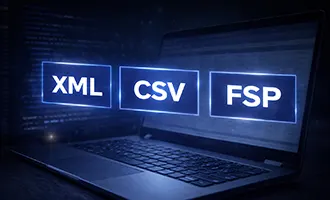
Export to XML, CSV, FSP
Export scan results to XML, CSV, or FSP formats for reporting, archiving, or further analysis. Easily share data, integrate with other tools, or keep detailed records of disk usage.

Scan Local & Network Drives
Analyze both local disks and network locations with the same speed and accuracy. Scan mapped drives, shared folders, and remote storage to get a complete view of disk usage across your system.
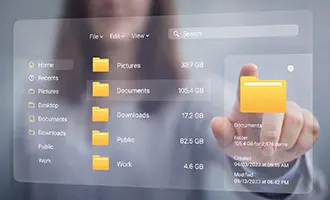
Windows Explorer Integration
Scan any folder directly from the Windows Explorer context menu or use the full Explorer-style menu inside Disk Space Analyzer. Cut, copy, and paste files seamlessly between the app and File Explorer.
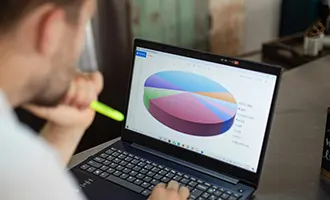
Disk Usage Reports
Quickly find the largest, oldest, newest, or empty files and folders. Identify long paths, oversized items, and zero-size files to pinpoint clutter, reclaim space, and keep your storage organized with precision.
Powerful Disk Space Analysis for Windows
Disk Space Analyzer gives you instant clarity into how your disk space is used across local and network drives. Instead of guessing where storage disappears, you see exact folder sizes and disk usage distribution in seconds.
Built for speed and reliability, it scans disks without slowing down your system. No background services, no file hooks, and no shell extensions — just fast, accurate results with zero performance impact.
See Exactly What Uses Your Disk Space
Quickly identify the folders and files consuming the most space. Disk Space Analyzer presents a clear folder tree and detailed file list, so you always know where storage is being used.
- Local drives (HDD and SSD)
- External USB and flash drives
- Network shares, NAS, and SAN storage
Visual Disk Usage Charts
Understand disk usage instantly with intuitive Bar and Pie charts. Visualize how space is distributed, spot large folders immediately, and make confident cleanup decisions at a glance.
Complete File and Folder Details
Every scan provides rich, actionable details to support informed decisions:
- Folder and file sizes
- Usage percentage within parent folders
- File and subfolder counts
- Creation, modification, and access times
- Folder owner and group information
All information is displayed in a sortable table, making analysis fast and effortless.
Advanced Reports to Find Problem Areas Fast
Built-in reports help you locate disk space issues instantly:
- Largest files and folders
- Oldest and newest files and folders
- Longest file paths and file names
- Empty folders and zero-size files
Whether you are cleaning up space or auditing storage, these reports save time and remove guesswork.
Custom Views and Smart Sorting
Sort files and folders by size, name, date, owner, subfolder count, and more. Customize the display by hiding or rearranging columns to focus on what matters most.
File sizes can be shown in Bytes, KB, MB, GB, or automatically adjusted for maximum readability.
Deep Windows Explorer Integration
Scan any folder instantly using the “Scan with Disk Space Analyzer” option in Windows Explorer. Inside the app, you get the full Windows Explorer context menu with familiar actions and tools.
The Explorer-style interface supports Back, Forward, and Folder Up navigation, keyboard shortcuts, and drag-and-drop scanning for maximum productivity.
Built-In File Management
Take action immediately without switching tools. Cut, copy, paste, or delete files and folders directly from the results list.
Preview the impact of deleting items by temporarily removing them from the list without actually deleting them, so you can make safe, informed decisions.
Export, Print, and Compare Results
Export scan results to Excel, CSV, or XML for reporting, sharing, or further analysis. Print disk usage reports to paper or export them as PDF, TIFF, or PPV files.
Save and reload scan data to compare disk usage over time and track how storage changes.
Automation and High-Performance Scanning
Automate disk space analysis using command-line options and schedule scans with Windows Task Scheduler. Progressive scanning resumes from where it stopped and updates only changed data for faster follow-up scans.
Privacy, Compatibility, and Lifetime Value
Your privacy comes first. All scans run locally on your device and no data is ever sent online.
Disk Space Analyzer supports both 32-bit and 64-bit desktop and server versions of Windows, includes thorough documentation, and comes with a lifetime license — no subscriptions, no recurring fees.